Cleanup – Clean Storage Space1.0.2
Publisher Description
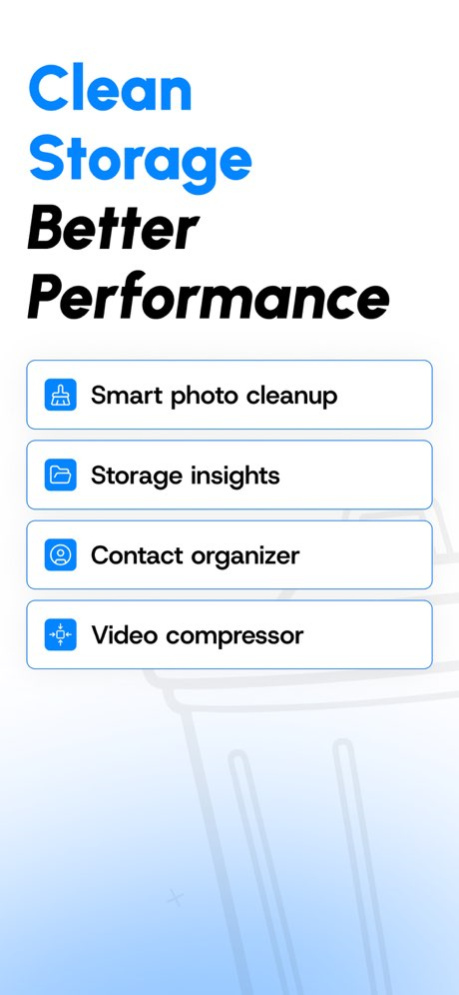
Is Your iPhone Storage Full? Free Up Space in Seconds!
Memory Cleaner is the ultimate iPhone storage management app. Instantly free space by removing duplicate photos, merging contacts, and organizing your device with AI-powered intelligence!
START FREE: Get 3 scans per day at no cost. Upgrade to Premium for unlimited cleaning!
Join thousands of users reclaiming iPhone storage and boosting performance.
KEY FEATURES
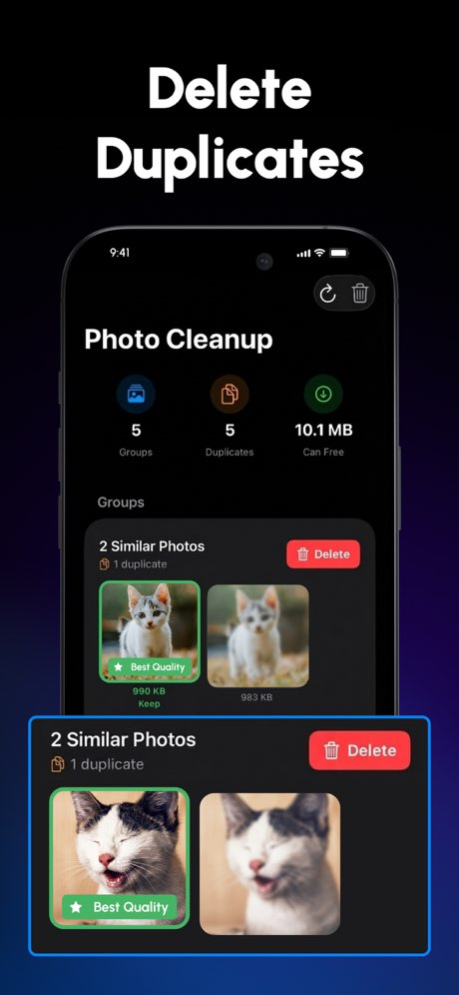
*** SMART PHOTO CLEANUP ***
AI-powered duplicate & similar photo detection
Remove blurry shots, duplicates, and near-duplicates
Preview before deleting-safe & easy
Batch delete with simple swipes
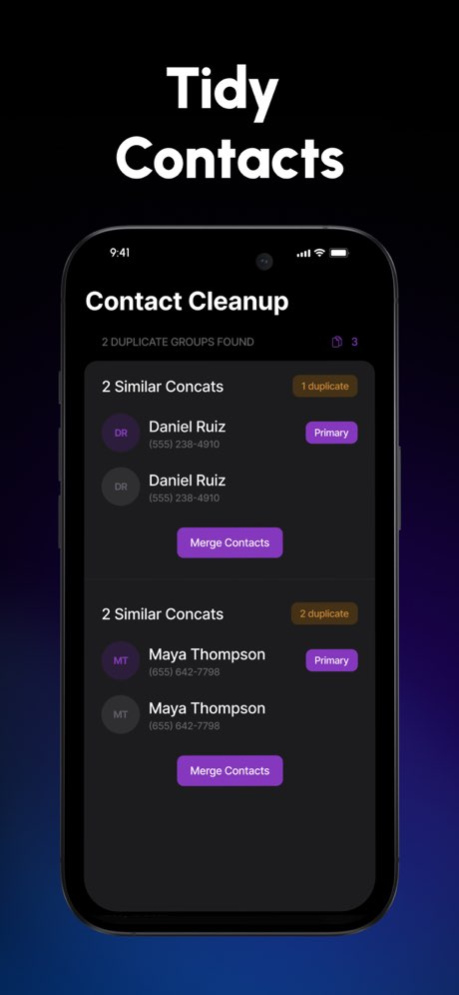
*** CONTACT ORGANIZER ***
Detect and merge duplicate contacts
One-tap cleanup for a clutter-free address book
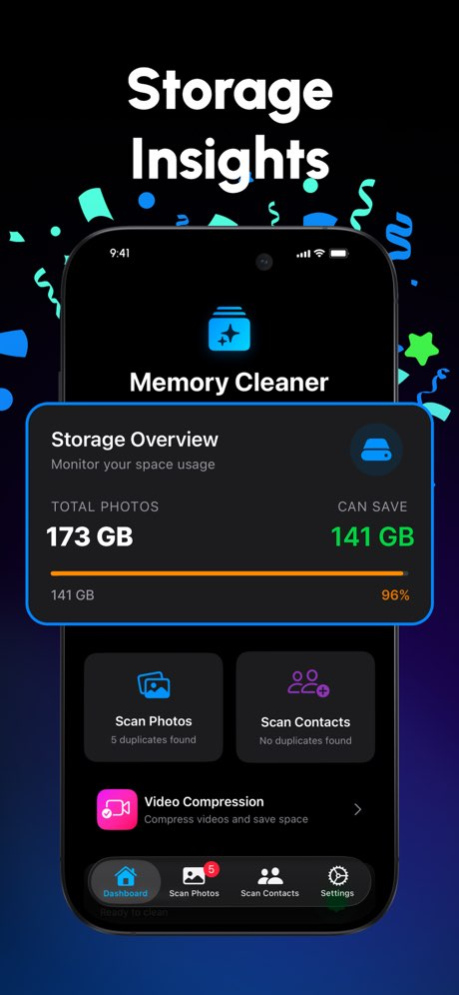
*** STORAGE INSIGHTS ***
Real-time storage monitoring
See what’s taking space
Smart recommendations for optimization
WHY CHOOSE MEMORY CLEANER?
* FREE TO START - 3 scans daily
* AI-POWERED - Apple Vision framework for photo analysis
* PRIVACY FIRST - 100% on-device, never in the cloud
* EASY TO USE - Clean, intuitive UI with dark mode
* CUSTOMIZABLE - Adjust sensitivity for duplicates
* FAST - Scan thousands of photos in seconds
* NO ADS - Distraction-free experience
* REGULAR UPDATES - Continuous improvements
PERFECT FOR
Freeing space for iOS updates
Removing duplicate photos
Organizing photo libraries
Cleaning up large contact lists
Optimizing iPhone performance
HOW IT WORKS
SCAN - App analyzes photos & contacts with AI
REVIEW - Duplicates & similar items detected
SELECT - Choose to keep or remove
CLEAN - Free gigabytes instantly!
Free users: 3 scans/day
Premium users: Unlimited + advanced features
SUBSCRIPTION PLANS
FREE PLAN
* 3 scans per day
* Basic duplicate photo & contact cleanup
* Storage insights
PREMIUM
* Weekly Subscription with Free Trial: Experience all premium features with a free trial period, then continue with a weekly subscription.
* Yearly Subscription: Unlock all premium features and save with an annual subscription.
INCLUDES:
* Unlimited scans
* Advanced AI detection
* Customizable settings
* Batch deletion
* Priority support
* All future premium features
SUBSCRIPTION DETAILS
Payment charged to iTunes at confirmation
Auto-renews unless turned off 24h before renewal
Manage subscriptions in Account Settings
Any unused trial portion forfeited at purchase
PRIVACY FIRST
Your photos & contacts never leave your iPhone.
100% offline processing
No uploads, no tracking, no data collection
GDPR & CCPA compliant
SUPPORT
Email: support@4onstudios.com
Privacy: https://www.4onstudios.com/privacy-policy/
Terms: https://www.4onstudios.com/terms-of-service/
Version History New cleanup reminders with daily, weekly, or monthly options in Settings.
Bug fixes and general enhancements for a smoother experience. 1.0.2 Apr 21 • Compress videos to save storage
• App now available in 11 languages
• New app icon and launch screen
• Core features improved 1.0.1 Jan 9 1.0 10/22/2025
About Cleanup – Clean Storage Space
The company that develops Cleanup – Clean Storage Space is Uka Osim. The latest version released by its developer is 1.0.2.
To install Cleanup – Clean Storage Space on your iOS device, just click the green Continue To App button above to start the installation process. The app is listed on our website since 2026-10-14 and was downloaded 1 times. We have already checked if the download link is safe, however for your own protection we recommend that you scan the downloaded app with your antivirus. Your antivirus may detect the Cleanup – Clean Storage Space as malware if the download link is broken.
How to install Cleanup – Clean Storage Space on your iOS device:
- Click on the Continue To App button on our website. This will redirect you to the App Store.
- Once the Cleanup – Clean Storage Space is shown in the iTunes listing of your iOS device, you can start its download and installation. Tap on the GET button to the right of the app to start downloading it.
- If you are not logged-in the iOS appstore app, you'll be prompted for your your Apple ID and/or password.
- After Cleanup – Clean Storage Space is downloaded, you'll see an INSTALL button to the right. Tap on it to start the actual installation of the iOS app.
- Once installation is finished you can tap on the OPEN button to start it. Its icon will also be added to your device home screen.
Program Details
System requirements
Download information
Pricing
Version History
version 1.0.2
posted on 2026-10-14
Version History New cleanup reminders with daily, weekly, or monthly options in Settings.
Bug fixes and general enhancements for a smoother experience. 1.0.2 Apr 21 • Compress videos to save storage
• App now available in 11 languages
• New app icon and launch screen
• Core features improved 1.0.1 Jan 9 1.0 10/22/2025
version 1.0.1
posted on 2026-01-09
• Compress videos to save storage
• App now available in 11 languages
• New app icon and launch screen
• Core features improved
